
VPN vs. Private Browsing Mode: Two Very Different Kinds of Privacy

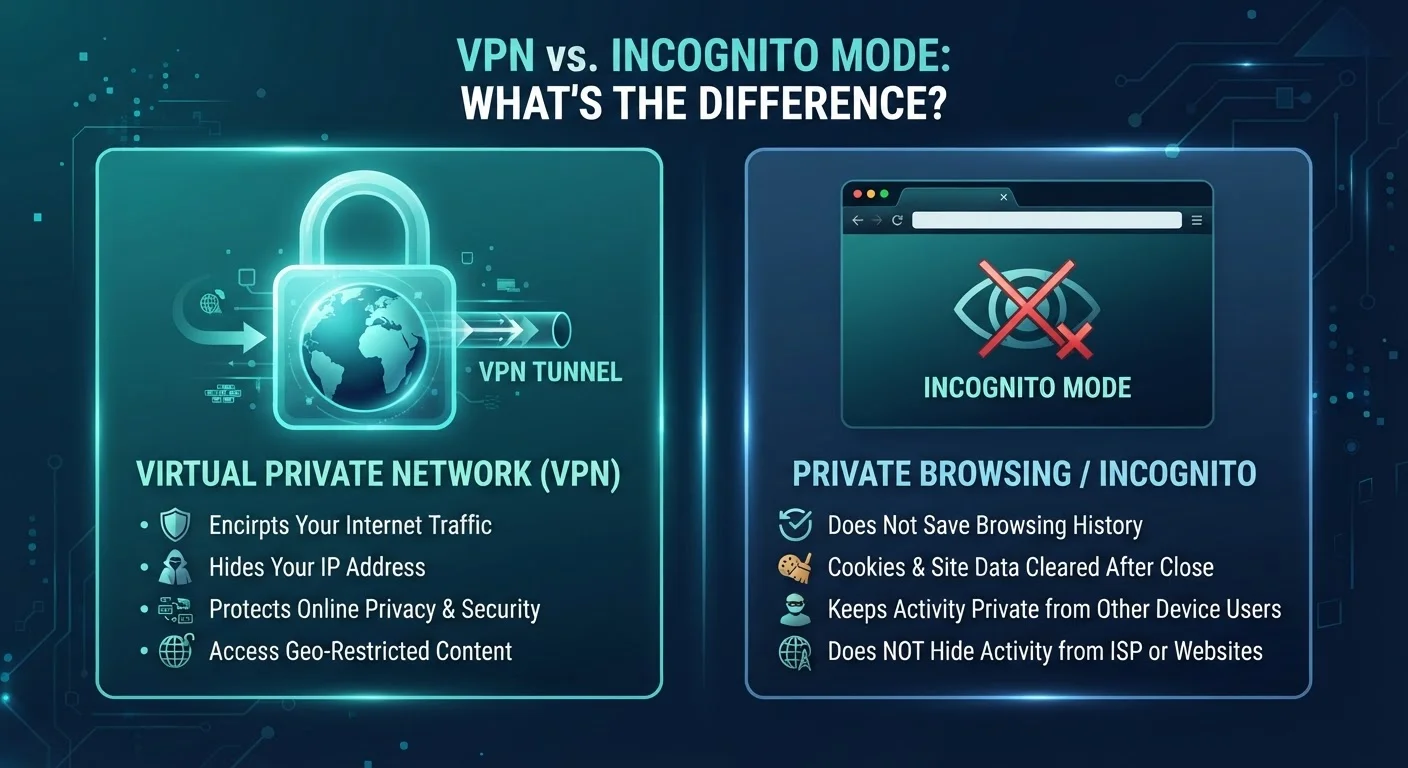
Photo: ShortwebArticles.com | Content For The Curious editorial
Key Takeaways
- Private browsing only hides activity from other users on the same device — it does not hide you from websites, your ISP, or your network.
- A VPN encrypts your internet traffic and masks your IP address from external observers, including your internet service provider.
- Neither tool makes you completely anonymous online — both have real limitations.
- Using both together is possible, but understanding what each actually does helps you choose the right tool for your situation.
- For sensitive tasks on public Wi-Fi, a VPN provides meaningful protection that private browsing simply cannot.
What Private Browsing Actually Does (And Doesn't Do)
Private browsing mode — called Incognito in Chrome, Private Window in Firefox and Safari — is a browser-level feature. When you open one of these windows, your browser agrees to forget the session when you close it: no history saved, no cookies kept, no form data stored. That's genuinely useful in a narrow set of situations.
What it doesn't do is hide your activity from anyone outside your device. Every website you visit still sees your IP address. Your internet service provider (ISP) — the company that delivers internet to your home — still sees which domains you're contacting. If you're on a school, work, or coffee-shop network, the administrator of that network can still observe your traffic. Private browsing is fundamentally a local privacy tool, not a network privacy tool.
Browser makers have faced criticism for not making this distinction clear enough. The name "private" can reasonably mislead users into thinking they're invisible online when they're only invisible to the next person who picks up the same laptop.
Private Browsing Has Real — But Narrow — Uses
For a broader look at how your browser settings interact with your overall privacy, see our beginner's guide to online privacy.
What a VPN Actually Does (And Doesn't Do)
A VPN — Virtual Private Network — works at the network level, not just inside your browser. When you connect to a VPN service, your device creates an encrypted tunnel to a VPN server. All of your internet traffic, from every app and every browser, travels through that tunnel before reaching its destination.
This has two practical consequences. First, your ISP and anyone monitoring your local network see only encrypted data going to the VPN server — they cannot easily read what sites you're visiting or what data you're sending. Second, the websites you visit see the VPN server's IP address rather than your own, which provides a layer of separation between your real identity and your browsing.
1 in 3
U.S. adults who use public Wi-Fi regularly
Pew Research Center surveys consistently find that a significant share of Americans use public Wi-Fi in places like cafés, airports, and libraries on a regular basis.
~40%
Users who misunderstand incognito mode's protections
A study published in the Proceedings of the ACM on Human-Computer Interaction found that a substantial portion of incognito users believed it hid their activity from websites and ISPs — which it does not.
A VPN is not a cloak of complete invisibility. The VPN provider itself can see your traffic — which is why the trustworthiness and privacy policy of whichever provider you choose matters. Additionally, websites can still identify you through login credentials, browser fingerprinting, or persistent tracking cookies that were already set before you connected. A VPN primarily protects the transport layer of your internet connection, not your identity across the broader web.
Understanding the full picture of your home internet setup — including how data flows through your connection — can help you make more informed decisions about when a VPN adds real value. Our guide on everything that shapes your home internet experience covers the underlying infrastructure in more detail.
Side-by-Side: How They Compare
The table below maps out the key differences so you can see at a glance which tool addresses which threat.
| Criterion | VPN | Private Browsing Mode |
|---|---|---|
| Hides activity from your ISP | Yes — traffic is encrypted | No |
| Hides activity on public Wi-Fi | Yes — encrypts all traffic | No |
| Prevents local history being saved | No | Yes — on that device |
| Masks your IP address from websites | Yes — shows VPN server IP | No |
| Works across all apps, not just browser | Yes — network-level | No — browser only |
| Makes you completely anonymous | No | No |
| Requires a separate service or app | Yes | No — built into browsers |
The clearest takeaway: these tools solve different problems. Private browsing is about what stays on your device. A VPN is about what travels across the network. Conflating the two can leave you with a false sense of security in situations where only one actually helps.
Can You Use Both at the Same Time?
Yes — and in some situations, it makes sense. Running a VPN while also using a private browsing window means your traffic is encrypted in transit and your browser won't retain any local trace of the session once you close it. This combination is reasonable if you're doing something sensitive on a shared device connected to a public network.
That said, stacking tools doesn't make you untraceable. Websites you log into still know who you are. Advertisers have sophisticated tracking methods beyond simple cookies. And if you're concerned about very high-stakes privacy needs, both tools on their own — or combined — fall well short of what specialized privacy software and practices can offer.
The practical advice for most everyday Americans: use private browsing when you're on someone else's device or a shared family computer and don't want your session saved locally. Reach for a VPN when you're on a network you don't control — public Wi-Fi at an airport, hotel, or café — and you want your traffic protected while in transit. Knowing which situation you're in is the most important step.
The content on this site is for informational purposes only and is not a substitute for professional advice. Always consult a qualified professional for guidance specific to your situation.