
Paper, Documents, and Mail: Taming the Paper Trail at Home

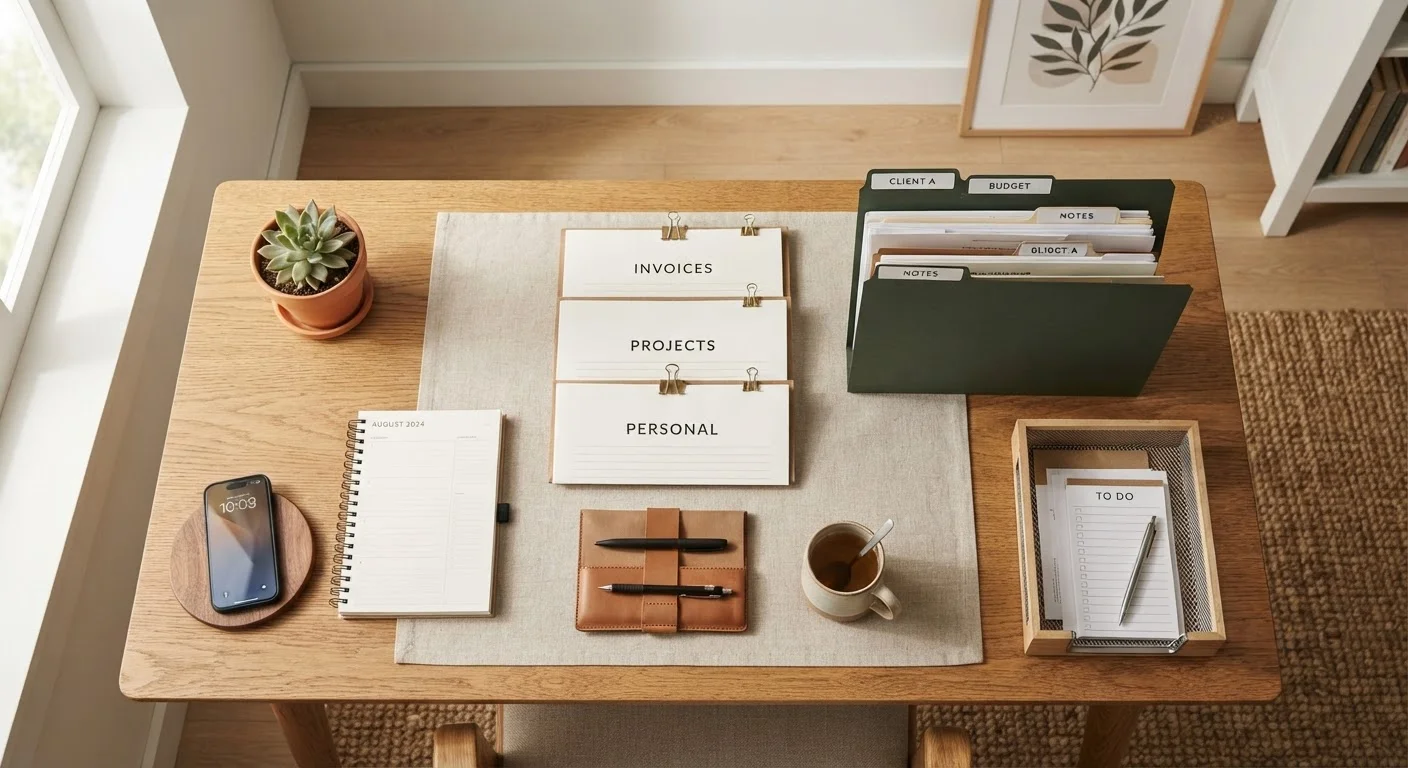
Photo: ShortwebArticles.com | Content For The Curious editorial
Key Takeaways
- Paper clutter is best controlled with a simple three-zone sorting system: act, file, recycle.
- Creating a single designated landing spot for incoming mail prevents papers from spreading throughout the home.
- Most household papers fall into just a few retention categories, making filing decisions straightforward.
- A 10-minute weekly maintenance habit prevents backlogs from rebuilding after a big sort.
- Going paperless for routine bills and statements significantly reduces future paper volume.
Why Paper Clutter Is So Hard to Control
Paper is deceptive clutter. Unlike an unused appliance taking up visible space, paper arrives in small increments every single day — a piece of mail here, a receipt there — and rarely triggers an immediate decision. The result is slow accumulation: stacks on counters, drawers stuffed with mystery documents, and a low-level anxiety about what might be buried in the pile.
Part of the problem is that paper genuinely does fall into different categories. Some items need action. Some need to be kept. And some are worthless the moment they arrive. Without a sorting habit, everything ends up in the same undifferentiated heap. If you're already dealing with broader household clutter, this challenge is explored in our guide to decluttering when you don't know where to start.
The good news: paper is one of the most solvable clutter problems. It doesn't require storage bins, renovation, or major spending — just a clear sorting logic and a consistent habit. The steps below walk you through both.
What you will need
Setting Up Your Paper System
The tools for managing paper at home are minimal. What matters most is having them in place before you need them — a shredder ready, folders labeled, and a landing zone established. Review the tools below, then work through the steps.
File box or accordion folder
Stores sorted documents by category so you can retrieve them quickly.
Cross-cut shredder
Safely destroys documents containing personal or financial information before disposal.
Label maker or sticky labels
Clearly marks folder categories so the system stays intuitive over time.
Inbox tray or wall pocket
Provides a dedicated landing zone for all incoming mail and paper.
Recycling bin
Immediately disposes of junk mail, envelopes, and paper that requires no action.
Gather every loose paper in the house
Before you can build a system, you need to see the full scope. Walk through every room and collect all loose papers — mail on the counter, catalogs by the couch, sticky notes, receipts in drawers, documents on the coffee table — and bring them to your sorting surface. Don't evaluate anything yet; just consolidate.
Sort into three primary piles
Work through the pile and assign each item to one of three categories:
- Act: Requires your attention — a bill to pay, a form to sign, an invitation to respond to.
- File: Has no pending action but needs to be kept — insurance documents, a warranty, a tax record.
- Recycle or shred: Junk mail, old catalogs, duplicates, or anything expired.
Most papers land in the recycle pile. When in doubt, ask: would I actually need to retrieve this?
Set up a simple filing structure
Your file system only needs to match the categories of paper your household actually produces. Common folder categories include:
- Home (lease, mortgage, insurance, utility contacts)
- Medical (explanation of benefits, vaccination records)
- Financial (tax returns, bank statements if paper)
- Vehicles (title, registration, service records)
- Warranties and manuals
- Pending or active (items awaiting resolution)
Label each folder clearly. You don't need an elaborate system — six to eight folders covers most households.
Process your 'Act' pile
Go through each item in your action pile and handle it promptly. Pay the bill, sign the form, add the event to your calendar. If an item needs more time, place it in a visible 'Pending' folder — not a loose pile — so it doesn't get lost again.
Create a single mail landing zone
Designate one specific spot — an inbox tray near the door, a wall pocket in the kitchen — where all incoming mail lands. Every household member should know this is the only place paper enters the system. From there, mail gets sorted within a day or two, not left to migrate through the house.
Reduce future paper volume
Opt into paperless billing and statements for as many accounts as possible — utilities, banks, insurance, and subscriptions. Unsubscribe from catalogs and mailing lists you don't use. The less paper that arrives, the less you need to manage. This single habit dramatically reduces how often your system needs maintenance.
Schedule a weekly 10-minute paper reset
Set aside ten minutes each week — Sunday evening and Friday morning are popular choices — to clear the inbox tray, file what belongs in folders, and handle any outstanding action items. This short habit prevents the backlog from rebuilding and makes paper management feel routine rather than overwhelming.
How Long Should You Keep Documents?
Don't Discard Documents Too Soon
Protect Personal Information Before Recycling
Keeping the System Working Long-Term
A paper system only works if it's easier to use than the alternative of leaving things in a pile. That means keeping your file box accessible, your inbox tray in a logical spot, and your shredder plugged in and within reach. If any of those friction points are too high, the system gradually stops being used.
In shared households, the system also needs buy-in from everyone who handles incoming mail. Our guide to organizing a shared home covers how to build routines that work across different organizational styles without constant negotiation.
If you find yourself managing both physical paper and digital files — scanned documents, email attachments, downloaded statements — it's worth thinking about where your organizational energy is best spent. Our article on digital vs. physical organization can help you decide. For a broader look at home organization principles that connect to this paper system, see our comprehensive home organization guide.
The content on this site is for informational purposes only and is not a substitute for professional advice. Always consult a qualified professional for guidance specific to your situation.