
RAM, Storage, and Processing Power: What Those Specs Actually Mean

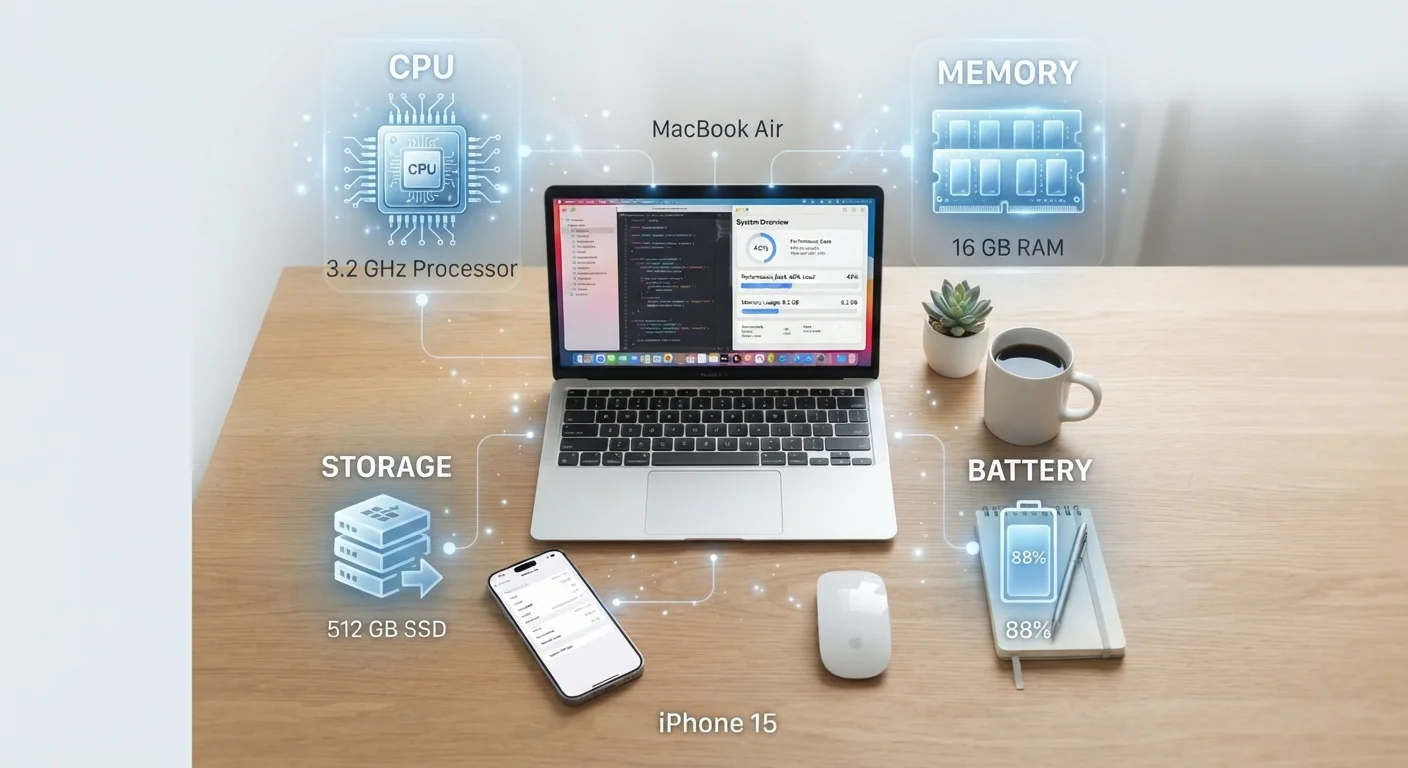
Photo: ShortwebArticles.com | Content For The Curious editorial
Key Takeaways
- RAM determines how many tasks your device handles simultaneously without slowing down.
- Storage holds your files, apps, and photos — it doesn't affect speed directly.
- Processor speed (GHz) and core count together determine how fast a device handles demanding tasks.
- More RAM and storage aren't always better — matching specs to your actual usage matters most.
- A slow device is often a RAM or storage issue, not necessarily an aging processor.
RAM: Your Device's Workspace
Think of RAM — RAM — as a physical desk. The bigger the desk, the more projects you can spread out and work on at once. When you open a browser, a music app, and your email simultaneously, all three sit in RAM so your device can switch between them instantly.
When RAM runs low, your device starts moving items off the desk and into a slower storage area to make room. That's when you notice apps reloading instead of picking up where you left off, or the whole system feeling sluggish. The fix is rarely a restart of the app — it's a matter of available RAM.
For most everyday users, 8GB of RAM on a laptop covers web browsing, video calls, and office apps comfortably. Smartphones in the 6–8GB range handle typical multitasking well. If you frequently edit video, run multiple browser tabs with heavy pages, or use creative software, 16GB starts to make a meaningful difference.
Quick RAM Check Before You Buy
Storage: Where Everything Lives
Storage is the filing cabinet next to your desk. It holds everything your device keeps long-term: apps, photos, music, documents, and the operating system itself. Unlike RAM, storage doesn't affect speed directly — but running it nearly full does create problems.
When a device's storage is more than roughly 85–90% full, performance can drop because the system needs free space to write temporary files and manage updates. Keeping a buffer of open space is good practice regardless of your device type.
Storage is measured in gigabytes (GB) or terabytes (TB). A 256GB phone holds roughly 50,000 photos taken at typical smartphone quality, or about 60 hours of HD video. For a laptop used primarily for documents and web use, 256GB is usually enough — video editors and photographers often need 512GB or more.
See our guide to keeping your devices running well for practical habits around managing storage over time.
Cloud Storage Is a Real Option
Processing Power: The Brain of the Device
The processor — also called the CPU — is what actually runs calculations. Every tap, every page load, every video frame rendered passes through the processor. Two numbers dominate the spec sheet here: clock speed (measured in gigahertz, or GHz) and core count.
Clock speed tells you how many processing cycles happen per second. A 3.0GHz chip completes three billion cycles per second. But raw speed alone is misleading — chip architecture and core count matter just as much. A modern 2.8GHz chip with eight cores often outperforms an older 3.5GHz chip with four cores on real-world tasks like video streaming or photo editing.
For light use — browsing, streaming, email — nearly any current-generation processor is more than capable. Demanding tasks like 4K video editing, gaming, or running complex spreadsheets reveal differences more clearly. If a spec sheet lists a chip by name rather than just GHz, a quick search of independent benchmark scores gives a clearer picture of its actual capability.
8GB
RAM considered a practical baseline for most laptop users
Industry consensus among technology reviewers generally places 8GB as the minimum comfortable threshold for everyday laptop multitasking as of the mid-2020s.
85%
Storage fill level where performance can begin to degrade
Many operating systems — including Windows, macOS, and Android — rely on free storage space for temporary files and system operations; heavy fill rates are a commonly cited cause of slowdowns.
4–12
Typical core count range in modern consumer devices
Entry-level smartphones and budget laptops commonly ship with 4 cores, while flagship phones and mid-range laptops increasingly feature 8 to 12 cores for improved parallel task handling.
Not sure whether you need a laptop or a tablet? Our comparison of tablets vs. laptops breaks down which form factor fits different working styles. You can also explore our plain-English internet glossary if terms like GHz show up in your home network setup too.
Putting It All Together
These three specs interact. A fast processor paired with insufficient RAM will still stall during heavy multitasking. Plenty of RAM with a slow processor won't help with computationally demanding work. And a device crammed with files will cause headaches regardless of how fast the chip is.
The practical takeaway: match specs to how you actually use your device. Light users — browsing, streaming, occasional documents — don't need the highest-tier numbers. Heavy users who edit media, run multiple apps continuously, or work with large files benefit from investing in more RAM and a capable processor first, with storage as a secondary consideration (since external drives and cloud services can supplement it).
If your current device feels slow, identifying which resource is strained — RAM, storage, or processor — points you toward the right solution. Understanding these three specs also makes it easier to evaluate any new device, whether it's a phone, tablet, or laptop, without relying on marketing language. For more on separating tech fact from fiction, see common smartphone myths debunked.
Frequently Asked Questions
The content on this site is for informational purposes only and is not a substitute for professional advice. Always consult a qualified professional for guidance specific to your situation.