
Mesh Wi-Fi Systems: The Trade-Offs Worth Knowing Before You Switch

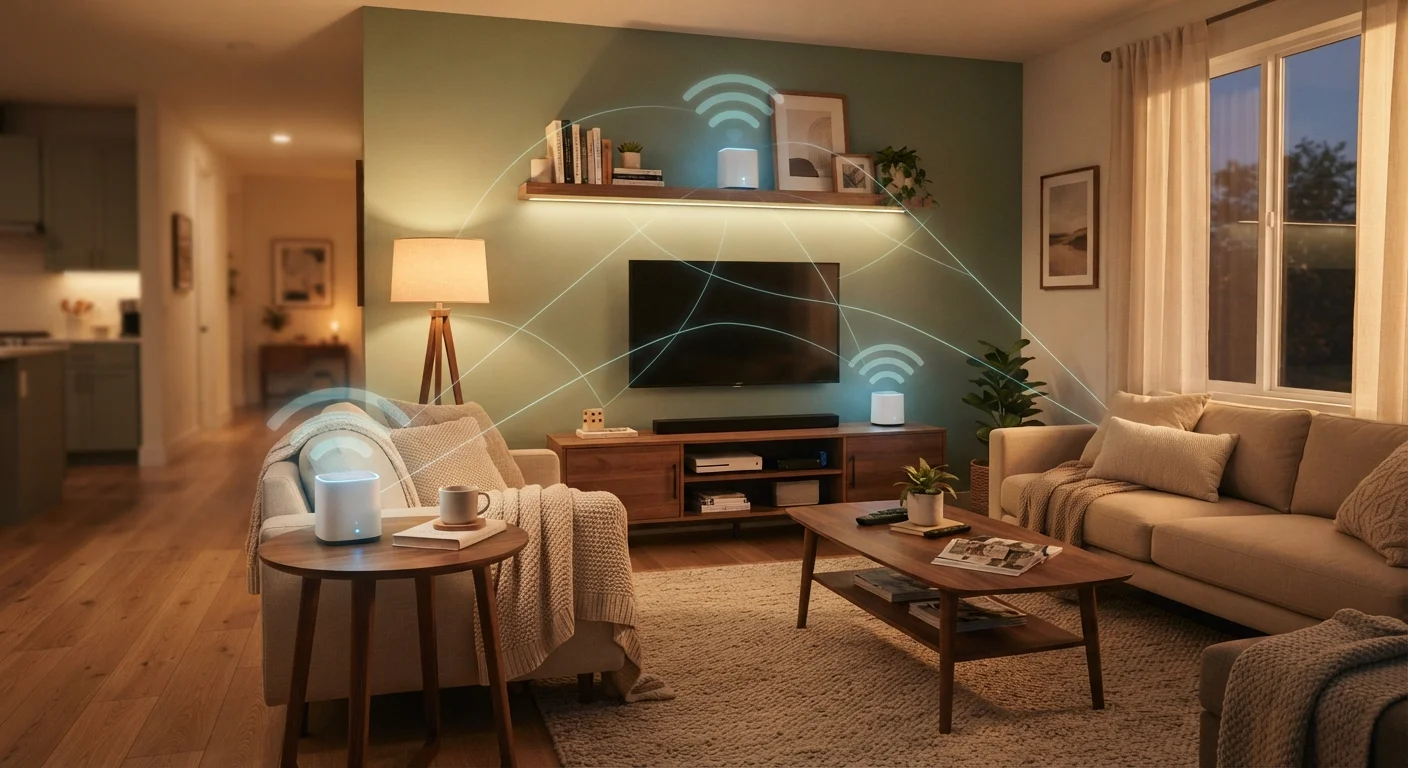
Photo: ShortwebArticles.com | Content For The Curious editorial
Key Takeaways
- Mesh Wi-Fi replaces a single router with multiple nodes that share one network name throughout your home.
- Mesh systems excel in large, multi-story, or obstacle-heavy homes where a single router leaves dead zones.
- The added cost and complexity of mesh may be unnecessary for smaller homes or apartments.
- Wired backhaul connections between nodes significantly improve mesh performance over wireless-only setups.
- Strong router placement often solves coverage problems without requiring a full mesh upgrade.
Eliminates dead zones in large or complex homes
Multiple nodes distribute signal across floors and around obstacles like thick walls or stairwells, reaching areas a single router cannot reliably cover.
Seamless roaming between nodes
Devices automatically hand off between nodes without disconnecting, which matters for video calls, streaming, and smart home devices moving through different areas.
Simple management via smartphone app
Most mesh systems offer intuitive apps that let users monitor connected devices, set parental controls, and run diagnostics without navigating a router admin panel.
Scalable — add nodes as your needs grow
You can start with two nodes and add more later if you expand your home or coverage needs change, without replacing the entire system.
Handles high device counts more gracefully
Mesh systems distribute connected devices across multiple nodes, reducing congestion compared to funneling everything through a single router.
Significantly higher upfront cost
A two- or three-node mesh kit typically costs more than a comparable single router, making it a poor investment for smaller homes that don't need the coverage.
Wireless backhaul reduces speed and adds latency
When nodes communicate wirelessly rather than over Ethernet, each relay hop can measurably reduce throughput — particularly relevant for gaming or large file transfers.
Cloud dependency and privacy considerations
Many mesh systems require a cloud account and collect usage data; some features are unavailable if the manufacturer's servers are down or the account is closed.
Overkill for small or open-plan homes
In apartments or single-story homes under roughly 1,500 square feet, a well-placed single router often delivers equivalent coverage at a fraction of the cost.
Wired backhaul requires running Ethernet cable
To get the best performance from a mesh system, Ethernet runs between nodes are recommended — a practical challenge in multi-story homes without existing cable infrastructure.
What Mesh Wi-Fi Actually Is
A mesh Wi-Fi system replaces the traditional single-router setup with two or more nodes — small devices placed around your home — that all broadcast the same network name and password. Unlike a router-plus-range-extender arrangement, where your device might jump between two different networks, mesh nodes communicate with each other to hand off your connection seamlessly as you move through the house.
The nodes talk to each other over a dedicated communication channel called a backhaul. Some systems use a separate wireless band for this, while others support a wired Ethernet backhaul, which is generally faster and more reliable. Understanding this distinction matters before you buy. For a fuller picture of how home networking hardware fits together, see how modems and routers each play a distinct role.
The Real Advantages
Eliminates dead zones in large or complex homes
Multiple nodes distribute signal across floors and around obstacles like thick walls or stairwells, reaching areas a single router cannot reliably cover.
Seamless roaming between nodes
Devices automatically hand off between nodes without disconnecting, which matters for video calls, streaming, and smart home devices moving through different areas.
Simple management via smartphone app
Most mesh systems offer intuitive apps that let users monitor connected devices, set parental controls, and run diagnostics without navigating a router admin panel.
Scalable — add nodes as your needs grow
You can start with two nodes and add more later if you expand your home or coverage needs change, without replacing the entire system.
Handles high device counts more gracefully
Mesh systems distribute connected devices across multiple nodes, reducing congestion compared to funneling everything through a single router.
Mesh systems genuinely shine in specific situations. A 3,000-square-foot home, a house with concrete or brick interior walls, or a layout with a basement and a detached garage are all scenarios where a single router — no matter where it's placed — will struggle to reach every corner. Mesh addresses this by distributing coverage rather than trying to project it from one point.
The seamless handoff between nodes also benefits households where people move around while streaming video or on a video call. A range extender typically requires you to manually reconnect or produces a noticeable interruption; a mesh system handles the transition in the background. Management through a smartphone app is another practical benefit — most systems make it straightforward to see which devices are connected, set up a guest network, or run a quick speed test without logging into a router admin panel.
The Trade-Offs That Don't Always Get Mentioned
Significantly higher upfront cost
A two- or three-node mesh kit typically costs more than a comparable single router, making it a poor investment for smaller homes that don't need the coverage.
Wireless backhaul reduces speed and adds latency
When nodes communicate wirelessly rather than over Ethernet, each relay hop can measurably reduce throughput — particularly relevant for gaming or large file transfers.
Cloud dependency and privacy considerations
Many mesh systems require a cloud account and collect usage data; some features are unavailable if the manufacturer's servers are down or the account is closed.
Overkill for small or open-plan homes
In apartments or single-story homes under roughly 1,500 square feet, a well-placed single router often delivers equivalent coverage at a fraction of the cost.
Wired backhaul requires running Ethernet cable
To get the best performance from a mesh system, Ethernet runs between nodes are recommended — a practical challenge in multi-story homes without existing cable infrastructure.
The most immediate drawback is cost. A quality mesh kit with two or three nodes typically costs significantly more than a single capable router. For a one-bedroom apartment or a compact single-story home, that extra spending solves a problem you likely don't have.
Performance can also disappoint when the wireless backhaul is congested. When nodes relay traffic wirelessly, each hop introduces latency and can reduce throughput. Wired backhaul avoids this, but running Ethernet cables between floors isn't always practical. If you're noticing slower speeds in certain rooms, it may not be a coverage problem at all — common network missteps like ignoring firmware updates are worth ruling out first.
Finally, mesh systems with cloud-dependent apps raise a privacy consideration: some collect usage data and require an account to function fully. If network privacy is a priority for your household, reviewing what data a given system collects is worthwhile before committing. Our guide to locking down your home Wi-Fi network covers broader security practices that apply regardless of which hardware you use.
When a Single Router Is Enough
Before investing in a mesh system, it's worth testing whether router placement alone closes your coverage gaps. The position of your router has an outsized effect on signal quality — central placement, elevated off the floor, away from microwaves and cordless phones, often dramatically improves reach. Strategic placement can eliminate dead zones in many homes without any additional hardware.
Wired Backhaul Makes a Meaningful Difference
If you've optimized placement and still have one or two weak spots, a single wired access point is often a more cost-effective fix than a full mesh kit. Access points connect to your router via Ethernet and extend coverage without the backhaul limitations of a wireless mesh node.
Making the Right Call for Your Home
The decision comes down to your home's size, construction, and layout — not marketing claims about seamless coverage. Ask yourself: does a single, well-placed router leave consistent dead zones? Are those zones in rooms you use regularly? If the answer to both is yes, mesh is worth considering. If dead zones only appear in a rarely used corner or you're in a smaller space, simpler solutions will likely serve you just as well for less money.
For households already thinking about adding more connected devices — smart speakers, security cameras, thermostats — a mesh system's device capacity can be a genuine asset. Smart home devices add their own set of trade-offs worth factoring into that decision. And if your internet service itself is the bottleneck, no router hardware will fix that — understanding everything that shapes your home internet experience is a useful starting point.
~30%
U.S. homes larger than 2,400 sq ft
According to U.S. Census Bureau data on new single-family home sizes, a significant share of American homes are large enough to present real Wi-Fi coverage challenges for a single router.
2–3x
Typical cost premium over a single router
Consumer electronics pricing generally shows mesh kits costing two to three times more than a single mid-range router with similar Wi-Fi generation support.
The content on this site is for informational purposes only and is not a substitute for professional advice. Always consult a qualified professional for guidance specific to your situation.