
Modem vs. Router: Two Devices, Very Different Jobs

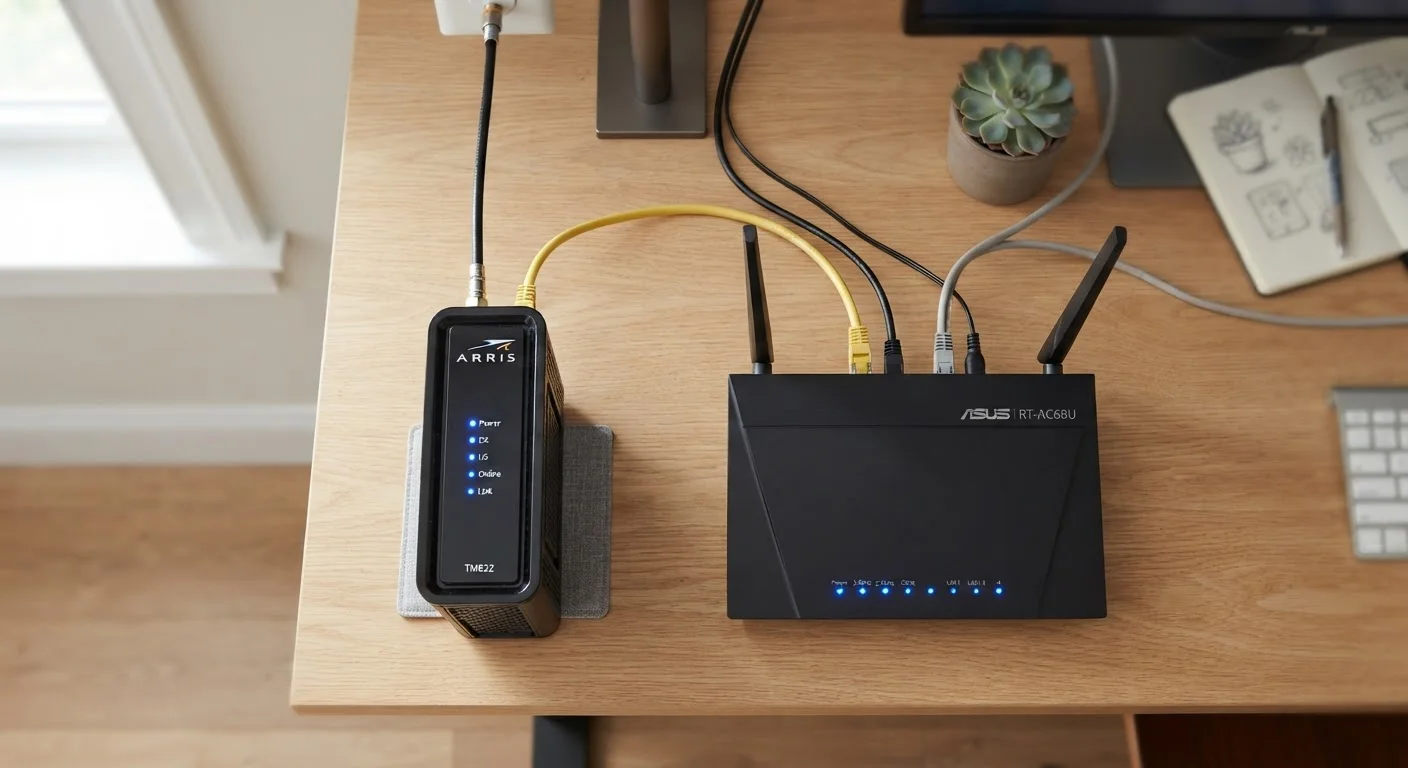
Photo: ShortwebArticles.com | Content For The Curious editorial
Key Takeaways
- A modem connects your home to your internet service provider's network.
- A router distributes that connection to devices inside your home via Wi-Fi or ethernet.
- The two devices perform distinct jobs, though combo units handle both in one box.
- Separating the devices often gives you more control and upgrade flexibility.
- Your ISP determines which modem types are compatible with your plan.
What a Modem Actually Does
The word modem is a contraction of "modulator-demodulator." That name hints at its core job: converting signals. Your internet service provider (ISP) delivers internet access through a physical medium — a coaxial cable, a phone line, or a fiber-optic line, depending on your plan type. The signal traveling through that medium isn't something your laptop or phone can directly understand. The modem translates it into a digital signal that a standard ethernet connection can carry.
Crucially, the modem is the device that authenticates with your ISP. It's assigned a unique identifier and is the entry point that your provider recognizes as your account. Without a functioning modem, no device in your home reaches the internet — full stop.
Modems are connection-type specific. A cable modem works with cable internet (such as DOCSIS-standard coaxial connections), while a DSL modem works with phone-line-based service. Fiber setups often use a device called an ONT (Optical Network Terminal) instead of a traditional modem. ISPs typically provide a compatible device, but you can often use your own — check with your provider for approved models. For a deeper look at how connection types differ, see our breakdown of cable, fiber, DSL, and satellite.
What a Router Actually Does
Once the modem establishes a connection to the internet, the router takes over. Its job is to manage traffic within your home network. Think of it as a post office inside your house: it receives the internet signal from the modem via ethernet, then directs data packets to and from the right devices — whether by Wi-Fi or wired ethernet port.
The router also creates your local area network (LAN), which allows your devices to communicate with each other. That's why you can print from your laptop to a wireless printer or stream from a phone to a smart TV without internet access — the router handles that local traffic independently.
Routers vary considerably in features. Some support only the 2.4 GHz Wi-Fi band; others support both 2.4 GHz and 5 GHz (or the newer 6 GHz band on Wi-Fi 6E routers). Features like parental controls, device prioritization (QoS), and guest networks all live at the router level. Router placement has a real impact on coverage — learn how router position affects whole-home signal. If you need coverage across a large home, mesh Wi-Fi systems offer an alternative worth understanding.
| Criterion | Modem | Router |
|---|---|---|
| Primary job | Connects home to ISP | Distributes connection to devices |
| Where it sits | Between ISP line and router | Between modem and your devices |
| Creates Wi-Fi | No | Yes |
| ISP-specific | Yes — must match connection type | No — works with any modem |
| Manages local network | No | Yes |
| Assigned IP by ISP | Yes | No (assigns private IPs internally) |
| Upgrade impact | Affects internet access only | Affects in-home speed and coverage |
Combo Units, Separate Devices, and What to Know
Many ISPs supply a gateway — a single device that combines modem and router functions. These combo units are convenient and reduce clutter, but they come with trade-offs. You typically have less control over router settings, and if one function underperforms, you can't upgrade just that piece.
Keeping a standalone modem paired with a separate router gives you more flexibility. You can replace the router if your coverage needs change without touching the modem, and vice versa. This setup is generally preferred by households with many connected devices or those who want more granular network control.
2-in-1
Gateway devices combine both functions
ISP-supplied gateways are common, but they limit the user's ability to upgrade modem and router functions independently.
5 GHz
Higher-band Wi-Fi from router only
Speed and band improvements — such as 5 GHz or Wi-Fi 6 — are determined entirely by the router, not the modem.
If you're just getting started with home internet and want to understand how all the pieces connect, this beginner's orientation walks through the full picture. And when you're weighing Wi-Fi against mobile data for on-the-go use, this comparison of Wi-Fi vs. mobile data covers what to consider.
When Your ISP Requires Their Equipment
The content on this site is for informational purposes only and is not a substitute for professional advice. Always consult a qualified professional for guidance specific to your situation.